Import Menu Package
Upload CSV files or ZIP packages that contain menu rows and food images.
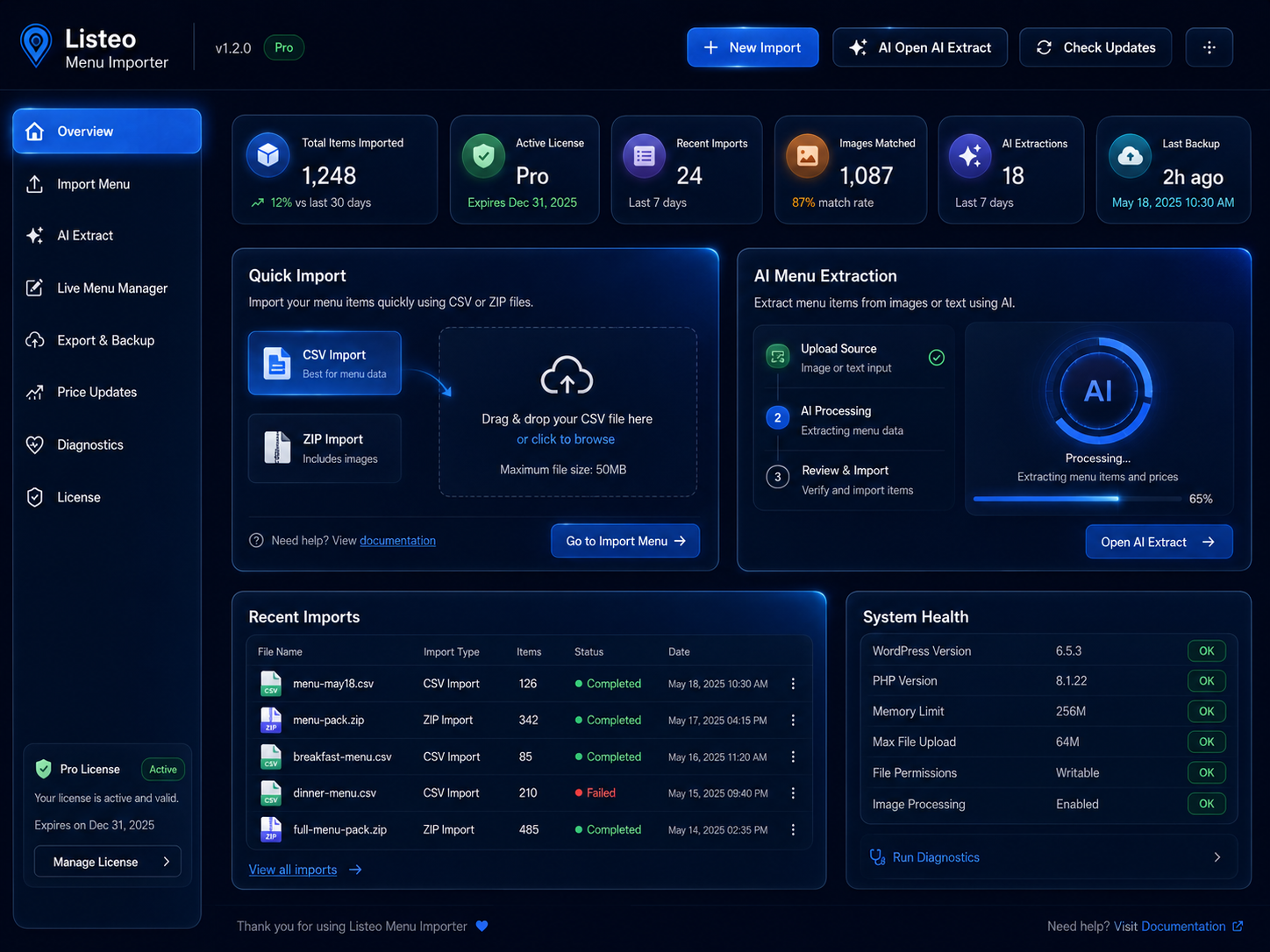
LMI helps directory owners, restaurant owners, and developers move from raw menu data to a finished Listeo menu using CSV import, ZIP packages with images, AI extraction, direct review, backups, media cleanup, and live editing.
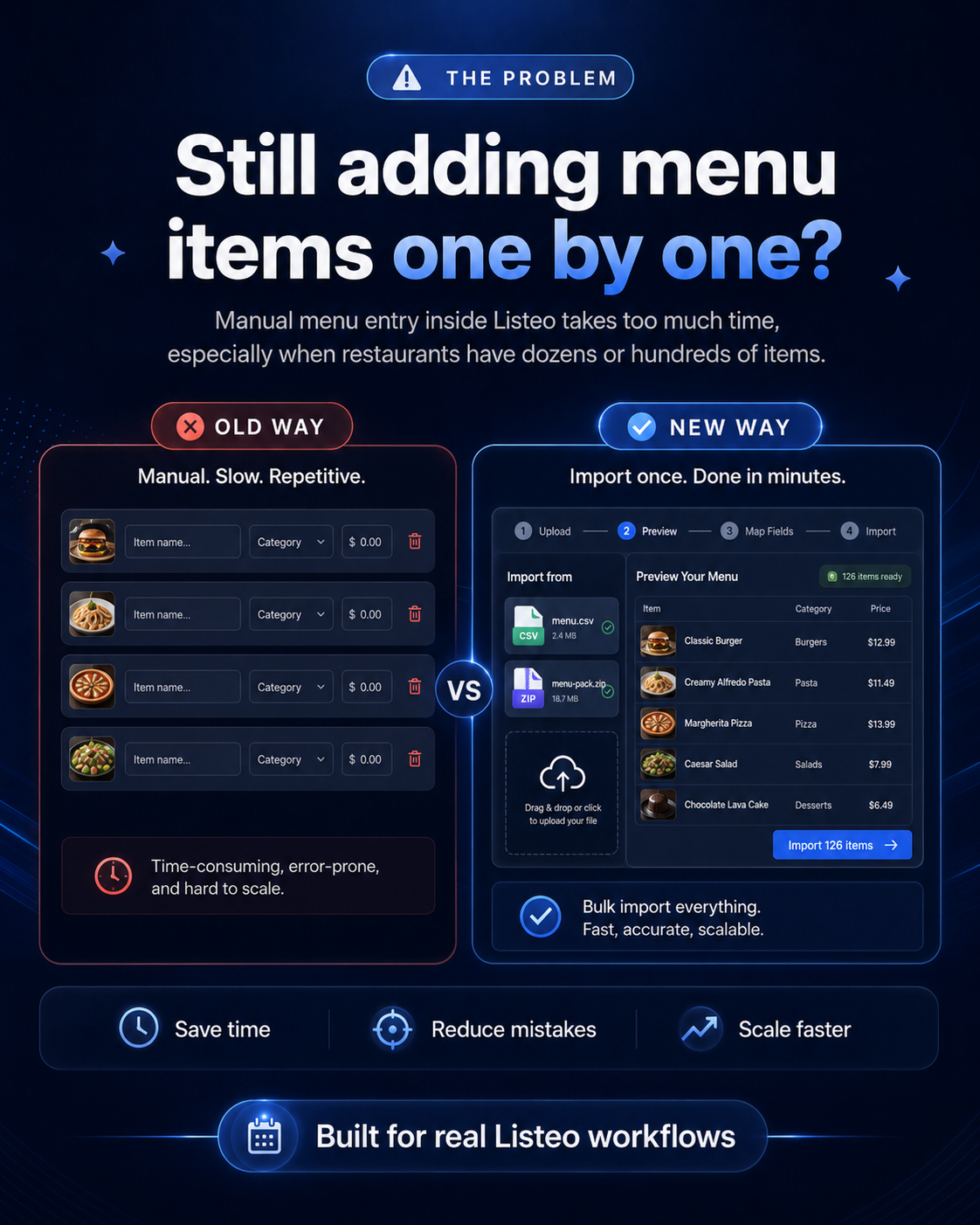
Adding restaurant menus one item at a time becomes painful when a menu has dozens or hundreds of items, multiple categories, images, descriptions, and prices. LMI replaces that process with a structured workflow that is easier to preview, edit, import, and recover.
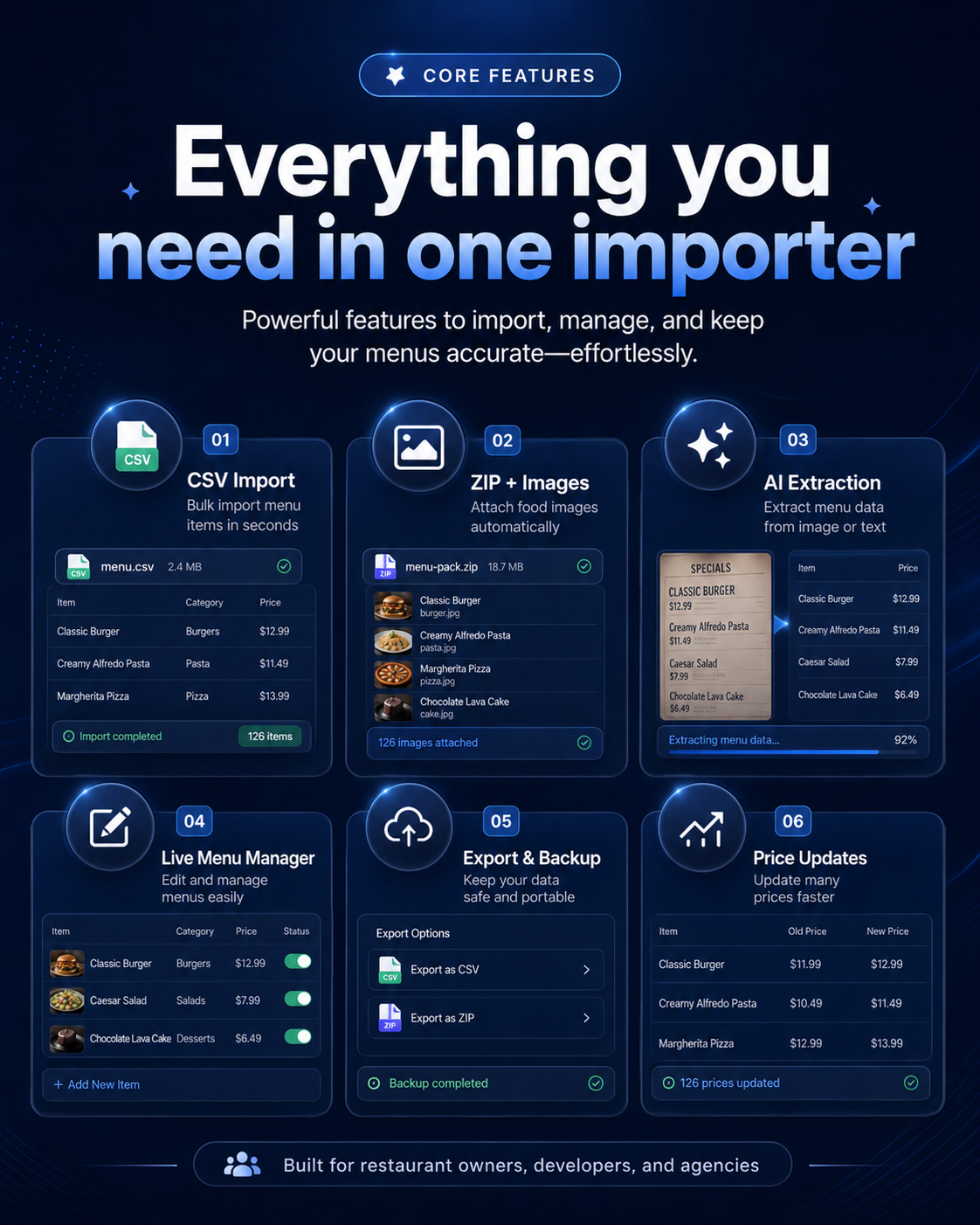
Every feature focuses on making real Listeo menu work faster and more controlled.
Upload CSV files or ZIP packages that contain menu rows and food images.
Turn pasted text or menu screenshots into structured menu rows.
Edit categories, names, descriptions, prices, and images before importing.
Match ZIP images by filename or add images manually in the review table.
Edit existing menu items and prices without rebuilding the full menu.
Create checkpoints before import actions and restore safely when required.
Track imported images and remove unused plugin-created media safely.
License-controlled features, update tools, diagnostics, and rollback support.
A simple flow designed for production websites and client work.
Use a clean CSV file for menu rows, or upload a ZIP package that includes the menu file and matching food images.
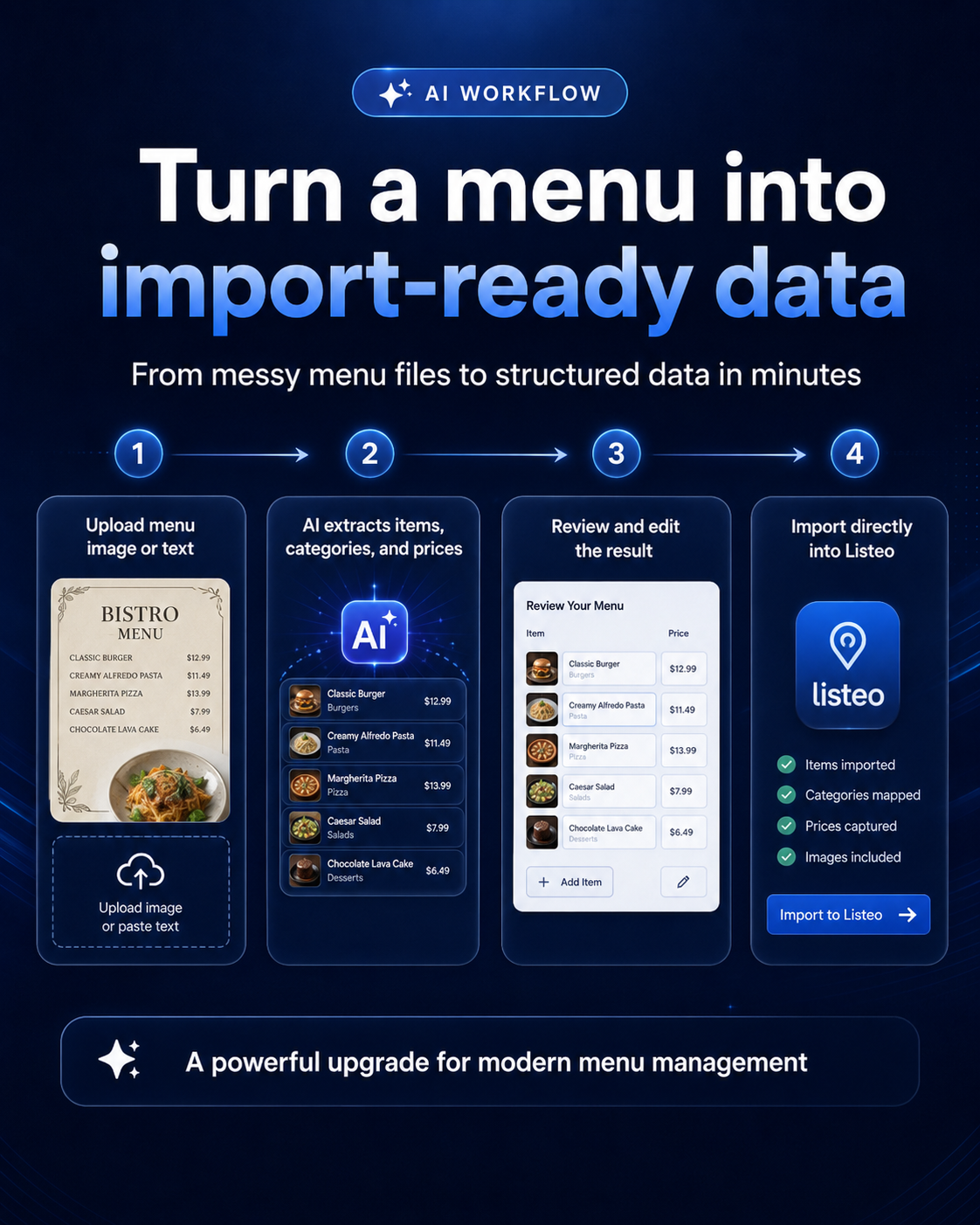
AI is useful only when you can review and correct the output. LMI keeps the user in control by showing a review table where every row can be edited before it becomes part of the listing menu.
Upload menu screenshot or paste menu text.
AI extracts items, categories, descriptions, and prices.
You edit, remove, add rows, and attach images.
Import directly into the selected Listeo listing.
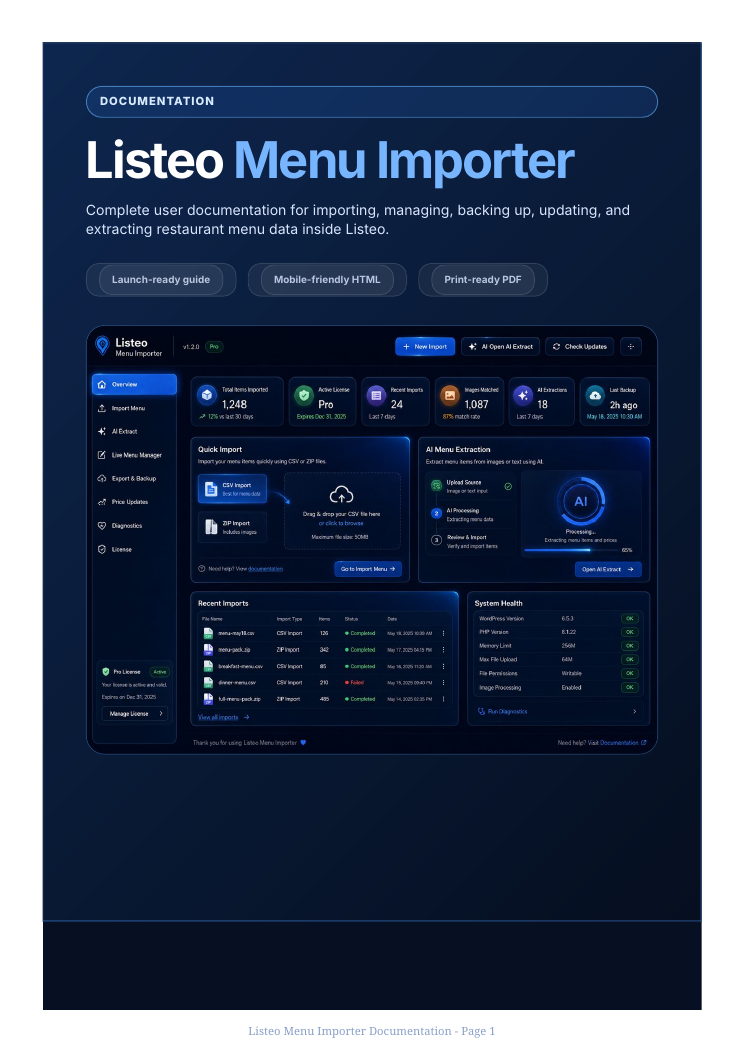
The plugin experience is supported by a clean dashboard, onboarding flow, help center, diagnostics, and documentation.
Two simple plans. No Agency plan on this landing page.
$0
For basic testing and simple CSV use.
$49/year
For real restaurant menus and production Listeo websites.
For protection, you can show buyers a hosted demo or walkthrough video first. This lets them understand the plugin value without receiving the code immediately.
Add your feature video here later: import package, AI extraction, direct import, Live Manager, backups, and cleanup.
Request demo accessYes. It is built around Listeo menu/pricing-list workflows, so it is not a generic WordPress importer.
Yes. Premium supports ZIP package images, AI review image assignment, and media cleanup for plugin-imported files.
Yes. AI can extract data, show it in a review table, and import directly after you confirm the edited rows.
The plugin includes backups, restore tools, import history, error logs, diagnostics, and media cleanup.
Email support@review.krd or use the contact buttons on this page.
Request access, see the demo, and decide if Premium fits your restaurant listing workflow.